
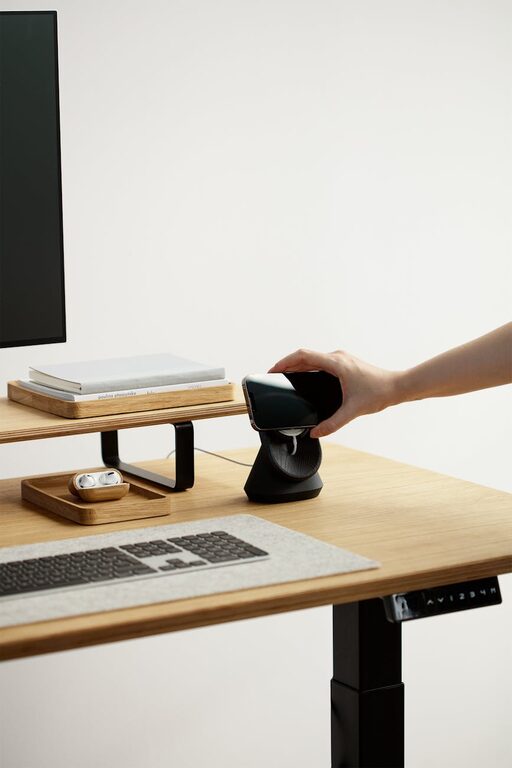
Creating a home office that feels cozy yet promotes productivity is essential for anyone working remotely or managing tasks from home. A well-designed workspace not only boosts your efficiency but also contributes to your overall well-being. In this post, we’ll explore several tips and ideas to help you set up a home office that balances comfort and focus.
Why a Cozy and Productive Home Office Matters
Your home office is where you spend a significant portion of your day, so it should be a place that inspires and supports your work. A cozy environment helps reduce stress, while a productive layout keeps distractions to a minimum. Combining both elements allows you to maintain motivation and improve your work quality.
Choose the Right Location
Consider Natural Light
Position your desk near a window to take advantage of natural light. Sunlight can improve your mood and reduce eye strain. However, avoid placing your monitor directly in front of the window to prevent glare.
Minimize Noise and Distractions
If possible, select a quiet spot away from household noise like TV or kitchen sounds. Using noise-canceling headphones or a white noise machine can also help maintain concentration.
Invest in Comfortable Furniture
Ergonomic Chair and Desk
Choose an ergonomic chair with good lumbar support to keep your posture healthy during long work hours. Pair it with a desk at a comfortable height to reduce strain on your wrists and shoulders.
Adjustable Options
Consider furniture that can be adjusted, such as sit-stand desks or chairs with adjustable armrests. Changing positions throughout the day promotes better circulation and less fatigue.
Personalize Your Space
Use Soothing Colors
Select wall colors or decor in calming shades like soft blues, greens, or neutrals. These tones can create a peaceful atmosphere that fosters focus.
Add Personal Touches
Incorporate items that make you happy, such as photos, plants, or artwork. These small details bring warmth and personality to your workspace.
Organize for Efficiency
Declutter Regularly
Keep only essential items on your desk to avoid distractions. Use organizers, trays, or drawers to store supplies neatly.
Smart Storage Solutions
Shelves, cabinets, or filing systems help keep papers and equipment out of sight but within reach.
Optimize Lighting
Combine Ambient and Task Lighting
Use a mix of general room lighting and focused task lights like desk lamps. This combination reduces eye strain and highlights your work area.
Avoid Harsh Lights
Avoid overhead lights that are too bright or flickering as they can be fatiguing. Soft, warm bulbs are more comfortable for extended use.
Manage Technology Wisely
Cable Management
Use clips, sleeves, or boxes to keep cords tidy and prevent tangling. A neat space feels more organized and less stressful.
Reliable Equipment
Invest in tools like a quality keyboard, mouse, and monitor that suit your needs. Comfortable tech reduces frustration and increases productivity.
Incorporate Break Spaces
Having a small area for quick breaks can help refresh your mind. Whether it’s a cozy chair, a cushion on the floor, or a spot near a window, stepping away briefly improves focus.
Keep Air Quality Fresh
Good ventilation is important. Open windows when possible or use an air purifier to keep your workspace smelling fresh and prevent stuffiness.
Set Boundaries and Routine
To maintain productivity, establish a clear start and end time for work. Inform family or housemates of your schedule to minimize interruptions.
—
Creating a cozy and productive home office is all about thoughtful design choices that consider comfort, organization, and your personal needs. By combining these tips, you can build a workspace that supports your best work while making your day more enjoyable.