
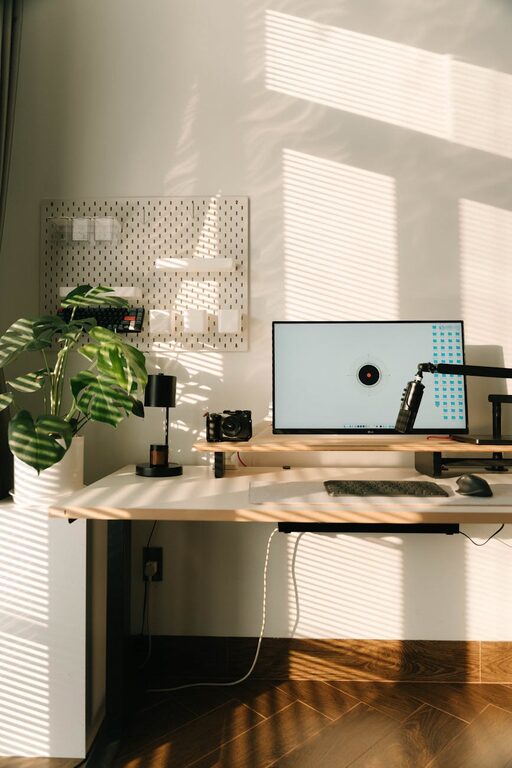
Creating a home office that feels inviting yet remains highly functional is essential for anyone working remotely or managing tasks from home. A well-designed workspace not only enhances productivity but also contributes to your overall well-being. Here are some friendly and straightforward tips to help you build a cozy, efficient home office space.
Choose the Right Location
Selecting the ideal spot for your home office is the first step. Look for a quiet area with natural light if possible. This could be a spare bedroom, a corner of your living room, or even a nook in the hallway. Natural light improves mood and reduces eye strain, so situate your desk near a window when you can.
Invest in Comfortable and Supportive Furniture
Comfort is key when creating a workspace where you’ll spend many hours. Choose an ergonomic chair that supports your back and encourages good posture. Pair it with a sturdy desk that fits your needs. Whether you prefer a large desk for spreading out documents or a compact one to save space, comfort and function should guide your choice.
Organize with Purpose
Clutter can be distracting, so organizing your supplies and documents is vital.
– Use shelves or cabinets to store books, binders, and office tools.
– Invest in drawer organizers or desk trays to keep small items tidy.
– Consider wall-mounted organizers or bulletin boards for important reminders.
– Regularly declutter your workspace to maintain focus.
Personalize Your Space
Adding personal touches makes your office feel welcoming and unique.
– Incorporate art that motivates or calms you.
– Use colors that inspire productivity and relaxation, such as soft blues or gentle greens.
– Include plants to bring life and freshness to the room—they also improve air quality.
– Display photos or meaningful objects that boost your mood.
Optimize Lighting
Aside from natural light, proper artificial lighting is important.
– Use a desk lamp with adjustable brightness for detailed tasks.
– Consider warm-toned bulbs for a cozy atmosphere.
– Avoid harsh overhead lights that cause glare or eye strain.
– If possible, position your screen to avoid reflections and shadows.
Minimize Distractions
Create a workspace separated from high-traffic or noisy areas. Use noise-canceling headphones or white noise machines if external sounds interrupt your concentration. Setting boundaries with family members or roommates helps maintain a professional environment.
Incorporate Technology Thoughtfully
Equip your home office with the necessary technology, but avoid overwhelming your workspace.
– Choose wireless devices to reduce cord clutter.
– Use cable organizers to keep wires neat.
– Invest in reliable high-speed internet.
– Set up extra monitors if your work benefits from more screen space.
Maintain Good Air Quality
Fresh air improves focus and comfort.
– Open windows regularly if possible.
– Use air purifiers or humidifiers to maintain a pleasant environment.
– Avoid strong scents or chemicals, as they can be distracting.
Establish a Routine and Keep It Inviting
Finally, create a daily routine that encourages productivity. Start your day by tidying your desk or setting a clear to-do list. Take breaks away from your workspace to refresh your mind. When your home office is cozy and well-organized, it becomes easier to separate work time from relaxation.
—
Designing a cozy and functional home office does not require a complete overhaul or expensive purchases. Small, thoughtful changes can make a significant difference in how you feel and work every day. With these tips, you can create a space that balances comfort, efficiency, and personal style.