
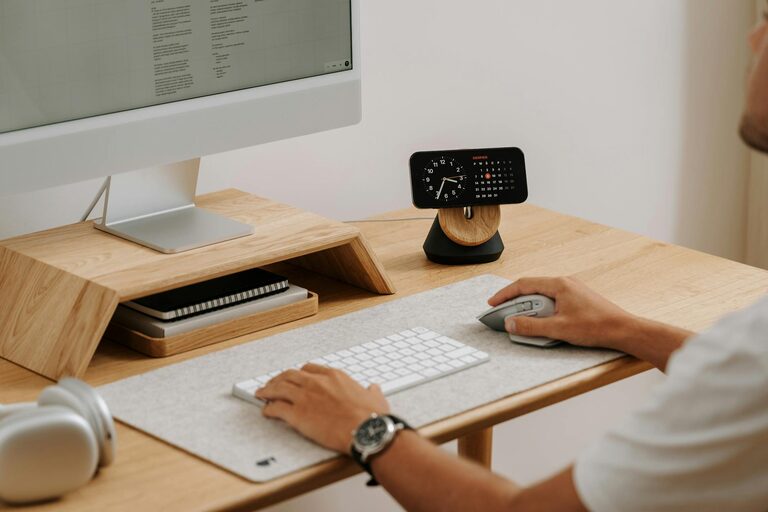
Working from home offers flexibility, but it also comes with challenges—especially when it comes to staying productive. Creating a dedicated, comfortable, and well-organized home office can make a big difference in how you focus and get work done. Whether you’re just starting your remote work journey or looking to improve your current setup, these tips will help you create a productive home office environment.
1. Choose the Right Location
Where you set up your workspace has a big impact on your productivity.
– Find a quiet spot: Ideally, select a space away from heavy foot traffic and household noises. This helps reduce distractions.
– Good natural light: Position your desk near a window if possible. Natural light can improve mood and energy levels.
– Separate from living areas: If you can, avoid working in your bedroom or couch. A dedicated space helps your brain associate the area with work, improving focus.
2. Invest in Comfortable Furniture
Comfort helps you stay focused longer without physical strain.
– Ergonomic chair: Choose a chair that supports your back and promotes good posture.
– Desk at the right height: Your desk should suit your height so your arms rest comfortably while typing.
– Consider standing options: A sit-stand desk or adjustable desk converter can give you flexibility to change positions throughout the day.
3. Organize Your Workspace Efficiently
A clutter-free and organized desk helps you work efficiently and minimizes distractions.
– Use storage solutions: Shelves, drawer organizers, and trays can keep papers and supplies neat.
– Keep essentials close: Store frequently used items within arm’s reach.
– Cable management: Use clips or sleeves to keep cords tidy and prevent tangling.
4. Ensure Proper Lighting
Good lighting reduces eye strain and helps maintain energy.
– Natural light first: Use daylight as much as possible.
– Task lighting: Add a desk lamp for focused light when working in the evening.
– Avoid glare: Position screens away from windows or use curtains/blinds.
5. Limit Distractions
Minimizing interruptions supports better concentration.
– Set boundaries: Communicate your work hours and needs with household members.
– Use noise management: Noise-canceling headphones or white noise apps can block out distracting sounds.
– Turn off notifications: Manage alerts on your phone and computer to reduce digital interruptions.
6. Add Personal Touches
Personalizing your space can make it more inviting and enjoyable.
– Plants: Adding greenery improves air quality and can boost mood.
– Artwork or photos: Include items that inspire or relax you.
– Aroma: A subtle scent, like lavender or citrus, can enhance comfort.
7. Establish a Routine
Having a clear daily schedule improves discipline and work-life balance.
– Set start and finish times: Treat your home office hours like a regular job.
– Take breaks: Step away from your desk every hour to stretch or refresh.
– Organize tasks: Use to-do lists or digital planners to stay on track.
8. Optimize Technology
Reliable equipment helps you work smoothly without frustration.
– Stable internet: A strong Wi-Fi connection is critical.
– Quality peripherals: Invest in a good keyboard, mouse, and monitor for comfort and efficiency.
– Backup solutions: Use cloud storage or external drives to keep your work secure.
9. Keep It Clean
A clean environment impacts your focus and mindset.
– Daily tidying: Spend a few minutes at the end of each day clearing your desk.
– Regular deep cleaning: Dust and vacuum your area weekly to maintain a fresh workspace.
Conclusion
Setting up a productive home office is about balancing comfort, organization, and minimizing distractions. With thoughtful planning and these practical tips, you can create a workspace that helps you focus, feel comfortable, and enjoy your work-from-home experience. Remember, your home office should reflect your personal needs and preferences, so feel free to experiment and adjust as you go!